
To configure a batch group, navigate to:
System Administration → Setup → Batch Group
1. On the batch group form, click on the New button to create a new batch group.
2. Give it a suitable name and description.
3. Switch to Batch Servers tab to view available servers for batch processing.
4. Shift the desired servers from Remaining Servers pane to Selected Servers pane for the particular batch group just created
5. You’re done with batch group configuration!

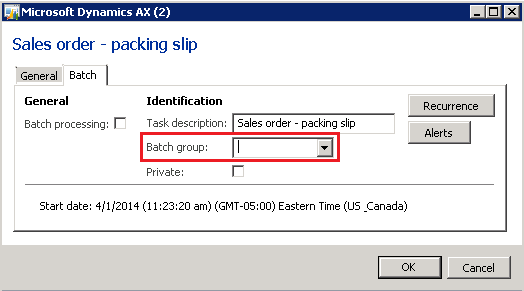
Make sure you choose the appropriate batch group while running a batch job. You can choose your newly created batch group from the Batch Group lookup as shown below:
 D365 for Finance and Operations
Leave a comment