AX developers always come across a requirement of showing data from different datasources on the same control though these datasources should be related to each other. The solution to this requirement is to define display methods on the table which you choose to be the control datasource. Display methods are very handy for showing data... Continue Reading →
AX 2012: Generate next number sequence in X++
Often we do not need to generate the next number sequence manually in X++ since creating records by using forms the system automatically handles number sequence generation by invoking Number Sequence Framework. However, sometimes we need to generate number sequences manually in X++. The following code helps you to do that: static void numberSequence(Args _args)... Continue Reading →
AX 2012: Change Application Object Layer
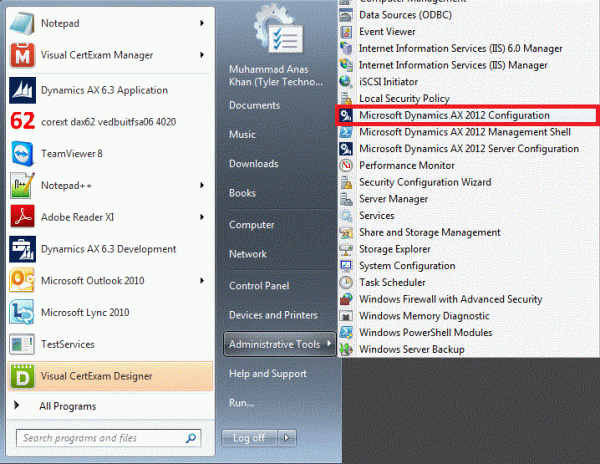
Developers often need to change the current application object layer. For example, customizations in AX 2012 always take place in the USR layer. To change it:1. Go to Microsoft Dynamics AX 2012 Configuration 2. Click Manage then click Create configuration 3. Give it a suitable name and then click OK4. Switch to Developer tab and choose your... Continue Reading →
AX 2012: Conditional Relations with Field Fixed and Related Field Fixed
Conditional relations are used to filter records in parent or related table. We can define conditional relations by specifying fields in a table relation as: Field Fixed OR Related Field Fixed Consider a scenario of a call center. The operator's responsibility is to receive calls and get the orders for a shoe store. The... Continue Reading →
AX 2012: Creating cubes
Prerequisites Dynamics AX 2012 Dynamics AX 2012 Analysis Services SQL Server 2012 Once you have identified the tables and views which contain the relevant data for your BI report, you can begin creating perspectives (cubes) in the AOT. Let's suppose we have to develop a sales report for which the following tables/views contain the relevant... Continue Reading →