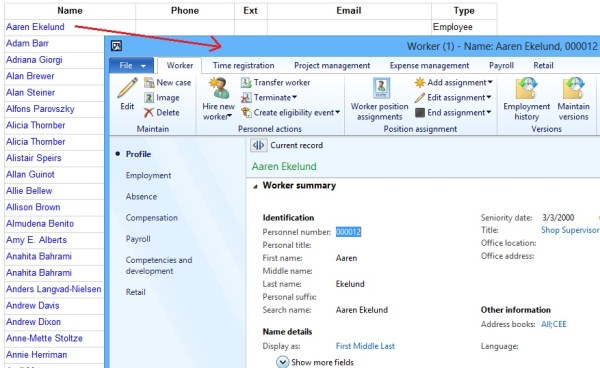
AX 2012: Integrate Dynamics AX with Website

Challenge: What if you need to integrate a Retail E-Commerce website with the powerful Dynamics AX ERP at backend to leverage numerous functional capabilities it offers in the areas like but not limited to Supply Chain Management. Then you are reading the right blog post! We can achieve it through exposing custom AIF services as web services on IIS using... Continue Reading →

AX 2012: Add Custom Module to Main Menu

1. Create your custom menu under Menus in AOT. 2. Create menu reference for your newly added menu under Menus > MainMenu in AOT. 3. Drag your newly created menu to the MainMenu. 4. Save the changes. Restart the Functional workspace to see your module coming up with standard AX modules 🙂

AX 2012: Create Custom Workflow

Purpose: The purpose of this document is to describe how we can develop a custom workflow template. Business requirement: Ability to have approval process for customers. Standard AX does not offer any workflow for customers approval out-of-the-box. Unit testing prerequisites: The following steps must be completed before a workflow can be unit tested. Configure workflow execution... Continue Reading →

AX 2012: Getting ReferenceGroup Control

Getting ReferenceGroup control automatically while dragging a datasource field to a form control is little tricky. Even if you have defined relations correctly at the table level, you might not always get the reference group control for a foreign key in the table. See the solution below for this issue. Problem: Consider for example, two... Continue Reading →

AX 2012: Workflow execution account is not valid

While performing Workflow Infrastructure Configuration, you might face the following exception: Exception: The user account entered for the workflow execution account is not valid. Confirm that the account exists and is enabled. Resolution: Please perform the following steps to resolve the issue: 1. Click System administration > Setup > System > System service accounts. 2. Specify... Continue Reading →

AX 2012: Enable Disable Buttons on PurchTable SalesTable Forms

To enable/disable buttons on PurchTable/SalesTable form, you can customize their respective interaction classes: 1. Classes\PurchTableInteraction 2. Classes\PurchTableInteractionHelper 3. Classes\SalesTableInteraction 4. Classes\SalesTableInteractionHelper Let's say, for example, I want to enable the Configure line button under Product and Supply menu: All you need to do is to find and customize the right method which controls the enabling/disabling... Continue Reading →

AX 2012: Chart in SSRS Report

Prerequisites: 1. Reporting services extensions must be installed 2. Visual Studio tools must be installed 3. Dynamics AX should be connected to Reporting services instance In this post we'll learn how to create data visualization in SSRS report using Pie or Doughnut chart. We'll be creating a query based AutoDesign report. This is how our report will... Continue Reading →

Blog at WordPress.com.

Up ↑