
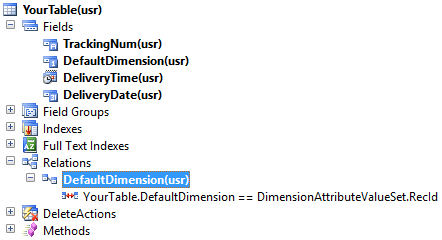
Lets quickly take a look at how the financial dimensions framework has been redesigned in AX 2012. The following picture show the table design:

To add a new financial dimension for your custom table, perform the following steps:
1. Drag the EDT (AOT >> Data Dictionary >> Extended Data Types >> DimensionDefault) to the fields of your table
2. Create a new “Normal” relation on your table linking the newly added “DefaultDimension” field to the “RecId” field of DimensionAttributeValueSet table
3. Now create a view for your table. Take care of the following conventions:
- View should be named exactly DimAttributeYourTable
- Add your table to DimAttributeYourTable >> Metadata >> Data Sources node
- This data source should be named exactly BackingEntity
- Add the following three fields naming them exactly as mentioned
- Key – Use surrogate key field e.g. RecId
- Value – Use natural key field e.g TrackingNum
- Name – Use any descriptive field e.g. DeliveryName

4. Create and run the following job to clear the dimension cache:
static void clearCache(Args _args)
{
    DimensionCache::clearAllScopes();
    info("done");
}
5. Now open General Ledger >> Setup >> Financial dimensions >> Financial dimensions
6. Create a new financial dimension
7. Select your newly added dimension from the “Use values from” lookup:
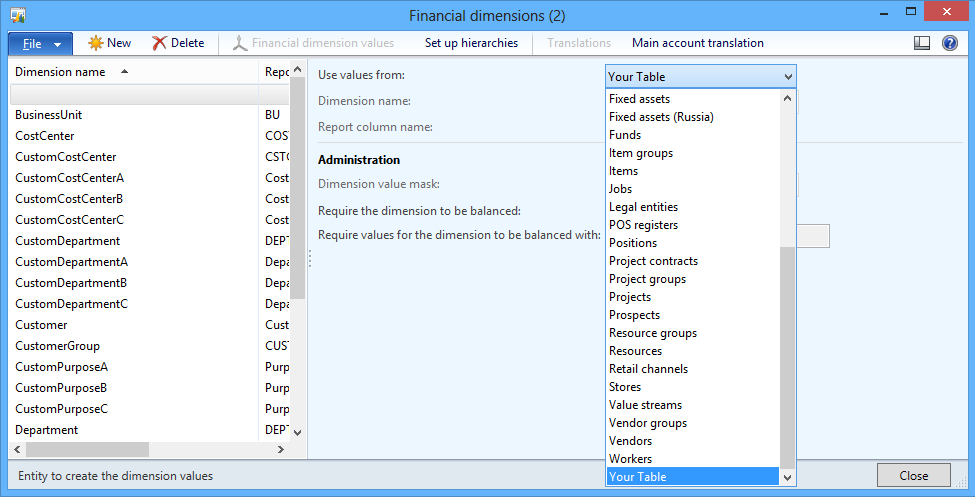
Now if you want to add this financial dimension to any of the existing chart of accounts, perform the following steps:
1. Open General Ledger >> Setup >> Chart of accounts >> Configure account structures
2. Select any of the active account structures e.g. “Account Structure P&L (Active)”
3. Click Edit button
4. Click Add segment button
5. Select the newly added dimension
6. Finally activate the dimension to let the changes take effect.
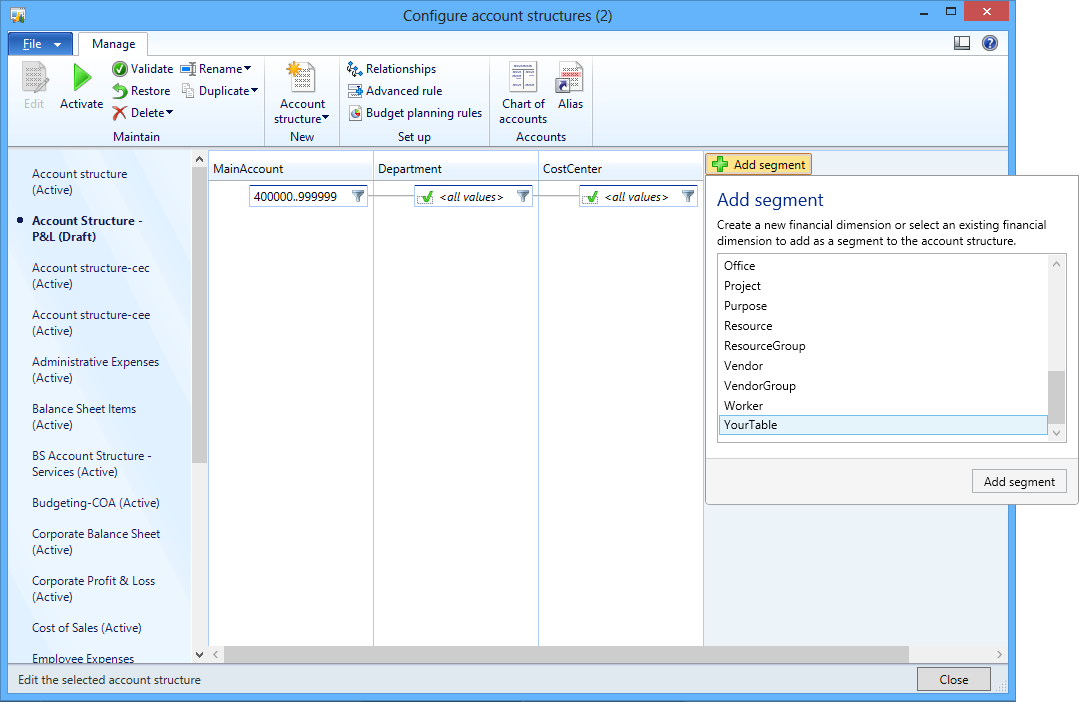
 D365 for Finance and Operations
Hi i created new view for salestable that s DimAttributeSalesTable But i am unable to get that in dimensions lookup… i followed alll the above steps…
Hi Mallikarjun,
Did you perform Step #4?
static void clearCache(Args _args)
{
DimensionCache::clearAllScopes();
info(“done”);
}
Hi, Thanks for your post.I have followed your all steps.i have selected the COA as Account structure P&L. can you please tell me y we are having different structures and where we can see the difference of these structures.
Hi Kavitha,
These are the chart of accounts. A chart of accounts (COA) is a created list of the accounts used by an organization to define each class of items for which money or the equivalent is spent or received. It is used to organize the finances of the entity and to segregate expenditures, revenue, assets and liabilities in order to give interested parties a better understanding of the financial health of the entity.
Hope this will answer your question.
Hi Muhammad,
Thanks for your reply. I have understood but i need some other clarification from you. Now i can see the my dimension value under the financial dimension Tab in all modules.can we restrict the display of dimension values for specific modules ? For ex i want to see my dimension values in AP module not in AR module.
Thank you Muhammad.
Most welcome!
Thanks Muhammad, it really helped me.
But i have small problem
My dimension value should be 15 digits like my table, but it is only showing 10 digits the 2 images uploaded in the following URL?
https://imgur.com/a/bINRY
What am i missing?
Thanks