
1. Create your custom menu under Menus in AOT.

2. Create menu reference for your newly added menu under Menus > MainMenu in AOT.

3. Drag your newly created menu to the MainMenu.

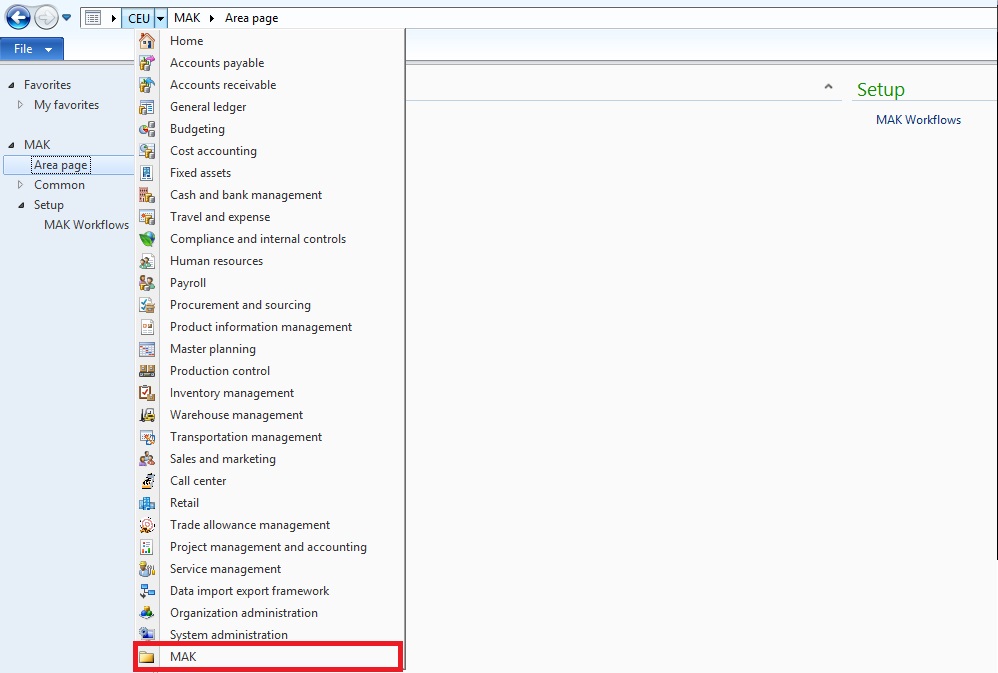
4. Save the changes. Restart the Functional workspace to see your module coming up with standard AX modules 🙂
 D365 for Finance and Operations
After following these steps, i don’t see my menu reference added to the main menu in AX. It is there in the AOT but not accessible by users. I removed user cache files, restarted client and aos. Generated CIL There is no configuration key or security key to my cus layer menu. I can add other menu references to main menu and they show. I created my menu so that it matches the menu that i can add to main menu but still no success. Am i missing something?
to make it work, i added a default AX module (Budgeting) as a menu reference to my menu, restarted aos then my changes started to show up.
Seems to me the issue of role based security. Which user are you using to access AX?
Just what I needed. Thank you.
Is there a way to add security to this, so that users do not see the new module unless they have the correct security?
This post saves my time. Thanks.